Sticker.ly - Sticker Maker
- 4.4
- Rating
- 100.00M
- Installs
- Free
- Price

 Analysis by App-foxy
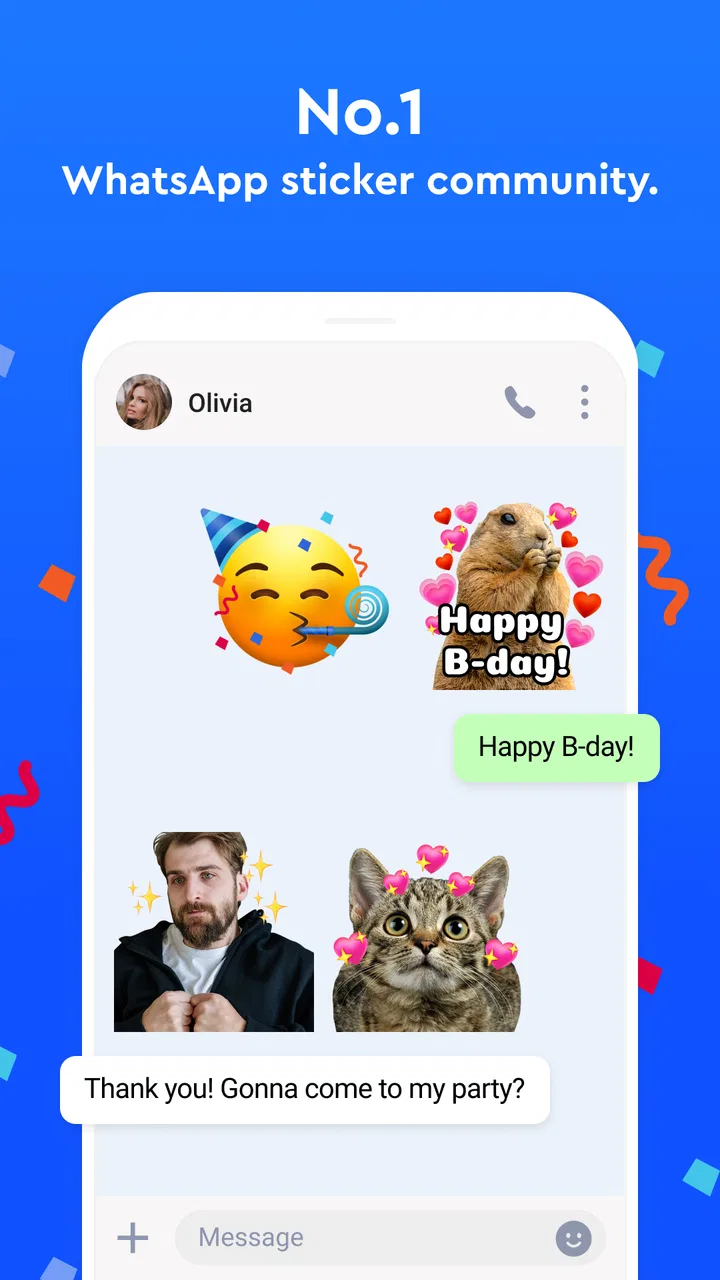
I tried Sticker.ly as a communication app rather than treating it as just another sticker shelf, and that distinction matters. Its main appeal is giving everyday chats a more personal visual language: instead of stopping at the sticker packs already included in WhatsApp or Telegram, I could look for expressive designs, save useful ones, and turn images or ideas into something I would actually send. It is made by Naver Z Corporation, carries a Teen age rating, and is free to install.
The app is especially easy to understand if you have ever wanted to answer a message with a reaction that feels more specific than an emoji. A funny photo, a familiar expression, or a small inside joke can become more useful in a conversation when it is turned into a sticker. That sounds simple, but the practical value comes from reducing the distance between finding an image and using it in a chat.
Sticker.ly has reached over 100 million installs and holds a 4.5 average from around 2.3 million ratings. Those figures suggest that it has become a familiar option for people who want stickers for messaging, not a niche editor used only by hobbyists. I still found reasons to be selective, though. The app is strongest when you enjoy browsing and customizing, while people who want a completely quiet, minimal messaging experience may find the creative side more elaborate than necessary.
You May Also Like

 Blood Strike: 2.5 Anniversary
Blood Strike’s Loadouts Turn Every Drop Into a Tactical Gamble
A close look at Blood Strike’s custom loadouts: how fast access to signature weapons reshapes its battle royale rhythm, rewards preparation, and narrows the gap between fights.

 Pandora - Music & Podcasts
Pandora’s Music Is Easy to Start, but Harder to Recover
Pandora’s strength is its low-effort path from a seed to a station. Its weak spot is how much confidence it asks you to place in connection, setup, and quiet recovery.

 8 Ball Pool
 Is Built on Rivalries, Rematches, and Routine
A close look at the rivalries, rematches, shared routines, and unanswered safety questions that turn a quick pool match into a persistent mobile community.

 Samsung Music
’s Quiet Strength Is Playing What You Already Own
Its reach comes less from spectacle than from dependable access to a personal library. That simplicity is both the app’s strongest retention engine and its ceiling.

 AccuWeather: Weather Radar
AccuWeather Review: A Quick, Clear Forecast for Everyday Decisions
For everyday plans, the best forecast is the one you can understand quickly. AccuWeather makes rain timing, radar, and local conditions easy to act on, with a few trade-offs.

 Hill Climb Racing
Why Hill Climb Racing Still Turns Crashes Into One More Run
A tiny car, a bumpy hill and one more upgrade: Hill Climb Racing keeps resurfacing because its simple chaos makes every near-miss feel personal.
More From Our News Desk
View All News


How Sticker.ly fits into everyday messaging
I find Sticker.ly most useful when I treat it as a small preparation step for conversations, rather than something I need to open every time I reply. A good routine is to make or save a few reactions when I have a quiet moment, then let the right chat decide which one earns a place in regular rotation. That keeps collecting purposeful and makes the next section’s focus on browsing and choosing feel practical.
A bridge between browsing and making
The useful idea behind the app is that discovery and creation sit together. I can browse sticker material when I do not have a particular image in mind, then switch to making something when a photo or joke gives me a better starting point. That makes it more flexible than relying only on the sticker tools built into a keyboard or messaging service.
Its store summary presents it as a chat sticker and meme maker for WhatsApp and Telegram, and that describes the practical role well. It is not trying to replace either messenger. Instead, it prepares visual content that can be used in those conversations. This separation is helpful because I can spend time creating or collecting stickers without interrupting the chat itself.
In a normal day, I might receive a photo from a friend that is funny but awkward to send repeatedly as a full image. Turning the memorable part into a sticker gives me a quicker response for later conversations. Another realistic use is a group chat where a recurring phrase or reaction becomes part of the group’s vocabulary. The app is most enjoyable in those small, personal situations, not because every message needs decoration, but because the right sticker can replace a paragraph.
Why the free starting point matters
The app is free, so trying it does not require a purchase decision at the beginning. That changes how I evaluate it. I can install it, see whether its browsing and creation style fits me, and decide whether it deserves space on my phone before spending anything. For casual users, that may be all they need.
There are in-app purchases priced from $3.49 to $34.99 per item. I would treat those as optional spending rather than part of the basic entry cost. The important distinction is that free access lets you test the central experience, while paid value depends on whether a particular purchase adds enough to your own messaging habits. I would not buy simply because a pack looks attractive for a moment; I would first check whether I expect to use it repeatedly.
That pricing range also means different users can reach different conclusions about value. Someone who sends stickers constantly may consider a paid item worthwhile, while someone who uses them once a week may be perfectly satisfied without paying. Since the app can be explored for free, the sensible approach is to use it naturally for a while and judge actual frequency rather than assuming every optional purchase is necessary.
What the current release tells me
The current version is 3.28.0, and the app supports devices running Android 7.0 or later. That makes it accessible to people who are not using the newest phone, although compatibility is still worth checking against the particular device before installing. The release date is Apr 12, 2019, which places the app in the category of established communication tools rather than a brand-new experiment.
That maturity is useful because the concept is easy to understand and the audience is already broad. At the same time, an established app can feel busier than a small, focused editor. I noticed that the more time I spent browsing, the more tempting it became to collect material instead of making a deliberate choice. Users who prefer a short, direct workflow should keep that tendency in mind.
Creating something that is actually usable
The best way to use a sticker maker is not to treat every image as raw material. I get better results when I start with a clear purpose: a reaction for a family chat, a playful answer for friends, or a visual response that works without extra explanation. A sticker that communicates one recognizable feeling is usually more useful than a crowded image full of tiny details.
One practical workflow is to separate creation from sending. I can make several related reactions in one session, then use them later when the right conversation appears. This is more efficient than opening the editor every time I want to answer quickly. It also helps me notice which ideas are genuinely reusable and which only seemed funny in the moment.
Another useful habit is to think about the background and the size of the subject before editing. A clear face, object, or gesture tends to remain understandable when reduced inside a chat. A busy photograph may look fine in the editor but lose its point when viewed quickly among other messages. The app’s value is therefore partly determined by my source material and judgment, not only by the available tools.
Using stickers across different chats
The connection with WhatsApp and Telegram is central to the experience. I would use the app as a preparation layer, then move the result into the messenger where the conversation is happening. That is more convenient than keeping a separate image folder and manually searching through it every time I want a reaction.
There is also a social advantage to making stickers that are recognizable to a particular group. A generic reaction can be useful anywhere, but a sticker based on a shared moment can make a conversation feel more personal. This is where the app stands apart from ordinary emoji keyboards: it gives me room to create something tied to my own circle rather than choosing only from a universal catalog.
The trade-off is that the experience depends on moving between services. If you want a tool that stays entirely inside one messenger and avoids any extra browsing or preparation, the built-in sticker features may feel cleaner. Sticker.ly is better for users who accept that small extra step in exchange for more choice and personalization.
Browsing without losing control of your collection
Browsing is convenient when I need inspiration, but it can also make the app feel less focused. I recommend deciding what kind of sticker I am looking for before opening the discovery side: a reaction, a meme-style answer, a greeting, or something for a specific group. That simple limit prevents endless scrolling and makes the app more useful as a tool rather than a time filler.
I also prefer collecting only stickers I can imagine sending. A large collection is not automatically a better collection. If I save everything that catches my attention, finding the right response later becomes slower. A small set organized around real conversations is more valuable than a huge set that I rarely remember to use.
This is one of the less obvious trade-offs of a sticker platform: abundance can create its own friction. The app may offer more creative material than I can realistically manage. My advice is to treat discovery as a source of ideas, not as a task to complete. The goal is a faster and more expressive chat, not an endless archive.
Where the app can feel less comfortable
The biggest limitation for me is the possibility of overcomplication. If I only want a few ready-made reactions, a standard keyboard or the sticker panel inside a messenger may be quicker. Sticker.ly makes more sense when I want to browse, collect, or create. Without that interest, its broader purpose can feel unnecessary.
There is also a difference between making a sticker and making a good sticker. The app can help turn an idea into a shareable reaction, but it cannot automatically give every image good timing, readable composition, or social context. A sticker that is too specific may confuse people outside the original group. A sticker that includes too much visual information may not work well in a fast-moving chat.
Paid items introduce another point of friction. Because the app is free to start but offers purchases from $3.49 to $34.99 per item, I would pay attention at the moment of purchase rather than assuming that every appealing option is part of the free experience. The right question is not whether a paid item exists, but whether it solves a recurring need that free access does not already cover.
The Teen rating is also relevant for households. I would not present the app to a younger child as though it were automatically designed for children. Communication platforms can contain material shaped by their users, and a Teen classification is a useful reminder to consider age and supervision before recommending it broadly.
Who will get the most from it?
I recommend Sticker.ly to people who regularly use WhatsApp or Telegram and enjoy making conversations feel more personal. It is particularly suitable for friends who share recurring jokes, families who like playful reactions, and anyone who wants to turn ordinary photos into reusable chat responses. The free entry point makes it easy to test without committing to a paid tool.
It is also a good fit for someone who wants a simple creative outlet with an immediate purpose. Instead of making an image only to store it, I can create something that will be used in a real conversation. That direct connection between editing and communication gives the app more practical value than a general image editor for this particular task.
I would be more cautious recommending it to people who rarely send stickers, dislike browsing, or want every communication feature contained in one minimal interface. For those users, a messenger’s built-in options may be enough. I would also skip it if I wanted a full graphic-design workspace rather than a focused way to prepare visual chat content.
How it compares with the usual alternatives
Compared with emoji keyboards, Sticker.ly offers more room for personal images and meme-like reactions, but it asks for more involvement. A keyboard is faster for a single emoji or a familiar sticker. This app becomes more valuable when the response needs to feel specific to a person, photo, or shared joke.
Compared with the sticker tools already inside WhatsApp or Telegram, it provides a broader discovery-and-creation mindset. The messenger’s own tools are convenient because they are already where I am chatting. Sticker.ly is more appealing when I want to prepare content deliberately or find inspiration beyond the small set I already use.
Compared with a general photo editor, it is narrower but more directly connected to messaging. A photo editor may offer deeper control for polished graphics, while Sticker.ly is better suited to quick, conversational results. I would choose the general editor for a poster or carefully designed image, and this app for something I expect to send as a reaction.
My practical recommendation before spending
I would begin by installing the free version and creating or collecting a small set for one real conversation. That test answers the most important questions quickly: do I enjoy the browsing process, do the results feel natural in my chats, and do I return to the stickers after the novelty fades?
If the answer is yes, a paid item may have value when it supports a repeated use case. I would choose based on the kind of conversations I actually have, not on the size of a catalog or the excitement of an isolated design. If I rarely use the free tools after trying them, paying will not fix that underlying mismatch.
The app’s popularity is reassuring, with more than 100 million installs and around 5.6 thousand written reviews shown alongside its large rating base, but popularity should not replace personal testing. Sticker habits are unusually individual. Some people send them constantly; others find them distracting. The free starting point makes that personal experiment reasonably straightforward.
Final verdict for Android users
My overall view is positive, with a clear condition: Sticker.ly is worth installing if you want more expressive WhatsApp or Telegram conversations and are willing to spend a little time choosing or making the right material. It delivers more personality than a basic emoji keyboard and more messaging focus than a general image editor.
I would not call every optional purchase essential. Free access is the strongest part of the value proposition because it lets casual users participate without paying, while paid items should be judged individually against how often they will be used. That makes the app easy to recommend as a free experiment, but harder to recommend as an automatic purchase.
My buy-or-skip verdict is simple: install it for free if stickers are part of how you communicate, and skip it if you want the shortest possible route from message to reply. For me, its best feature is not merely having more stickers; it is the ability to turn a personal moment into a reusable response. When that is what you want, the app feels genuinely useful. When it is not, the extra browsing and creative step are more work than the result is worth.
FAQs for Sticker.ly - Sticker Maker
01What is Sticker.ly and how does it work?
Sticker.ly is a versatile app for creating and sharing personalized stickers for messaging apps. Users can easily design stickers using photos or pre-designed templates and share them on platforms like WhatsApp and iMessage. Its intuitive interface allows for easy editing and creativity, making it a popular choice for personalized communication.
02Is Sticker.ly free to use, or are there in-app purchases?
Sticker.ly is free to download and use, offering a wide range of features at no cost. However, it includes optional in-app purchases for premium content and features. These purchases can enhance the user experience by providing additional templates, effects, and customization options for stickers.
03Can I use Sticker.ly to create animated stickers?
Yes, Sticker.ly allows users to create animated stickers. The app supports various animation effects, enabling users to make dynamic and engaging stickers. This feature is particularly popular for adding a creative touch to conversations and making messages more lively and interesting.
04Is it easy to share stickers created in Sticker.ly on social media platforms?
Absolutely, sharing stickers from Sticker.ly is straightforward. The app integrates seamlessly with popular social media and messaging platforms, allowing users to share their creations with just a few taps. Whether it’s WhatsApp, iMessage, or Instagram, Sticker.ly ensures a hassle-free sharing experience.
05Does Sticker.ly require an internet connection to function?
While creating and editing stickers can be done offline, an internet connection is required for downloading additional content, sharing stickers, and accessing community features. This ensures users can fully utilize the app's capabilities and enjoy the latest updates and content.
Pros
- Easy to create custom stickers quickly.
- Large library of pre-made stickers.
- Supports animated stickers and GIFs.
- User-friendly interface with intuitive controls.
- Free version offers plenty of features.
Cons
- Contains ads in the free version.
- Limited features without in-app purchases.
- Occasional glitches during sticker creation.
- Requires internet for downloading new packs.
- No direct integration with some messaging apps.

Sticker.ly - Sticker Maker
Gallery